Gujarati Fonts or Hindi Fonts on your Computer .....page 2
Step 2: Languages Options page.
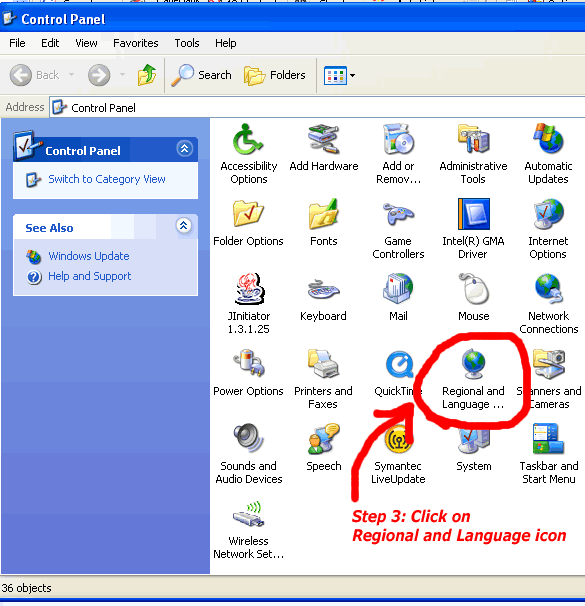
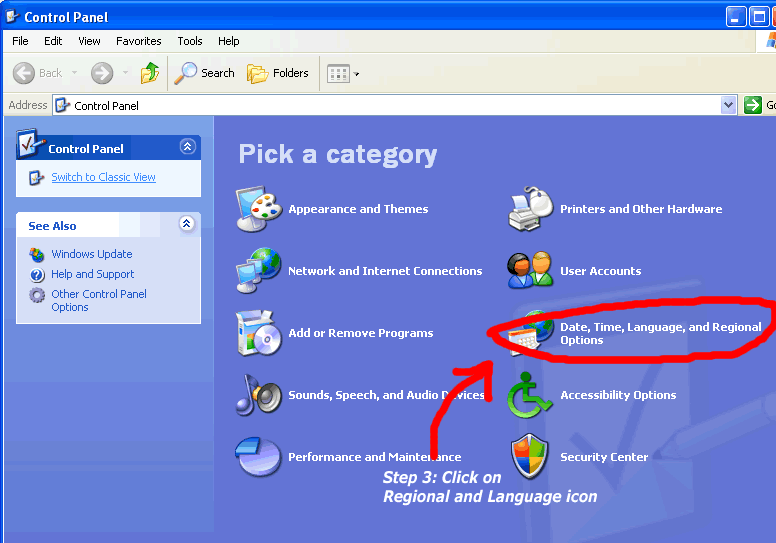
Now CONTROL PANEL window will open up. On your computer, it can be displayed in Classic view or in Category view. Depending on how it shows up, click on the Regional and Languages icon.
OR
Click here to go to Page 3 for Gujarati / Hindi Typing set-up page on Kavilok.com: